
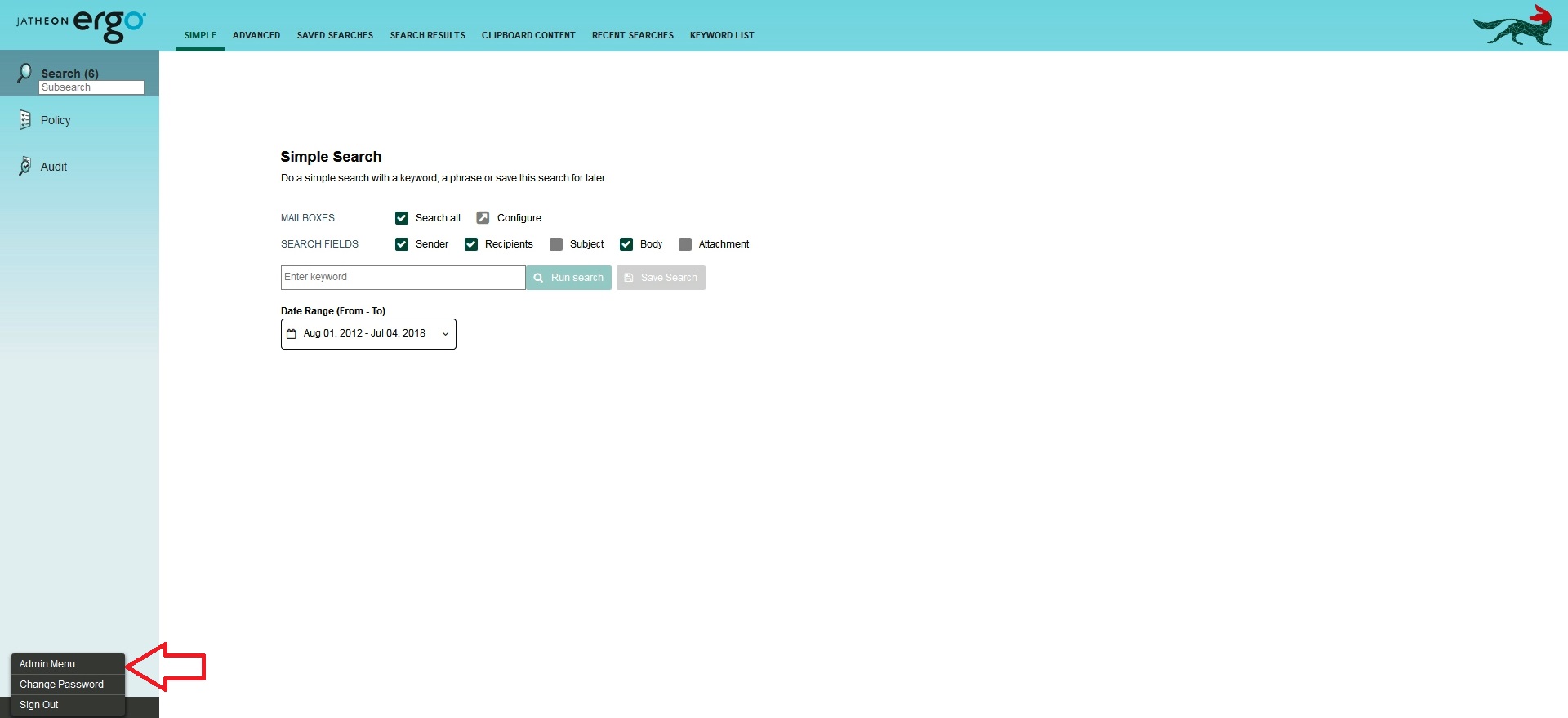
To set up mailbox association, log in to your Jatheon cCore appliance with admin privileges and switch to the admin menu view:
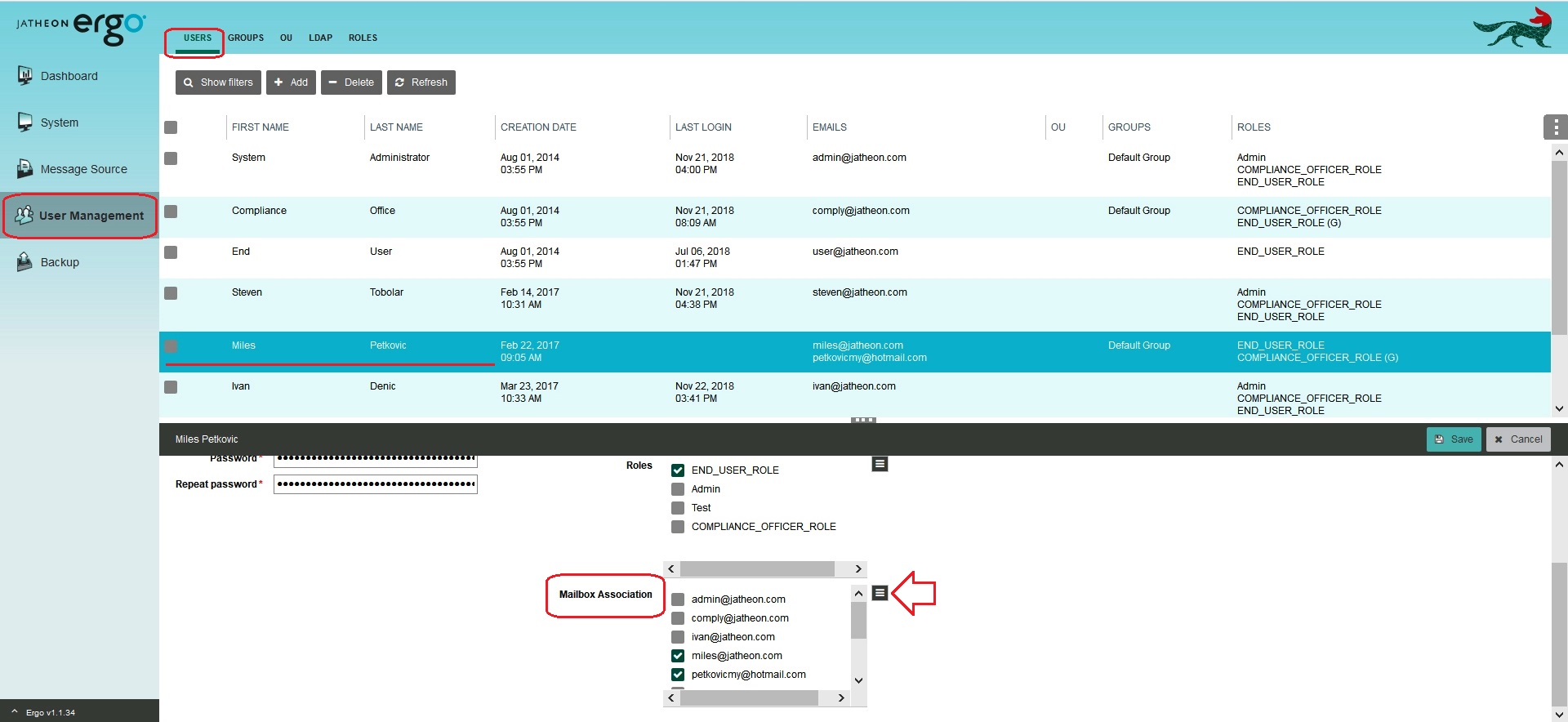
Within the User Management tab, click on Users. Select the user you wish to grant the permission to search through mailboxes. In the Mailbox Association section, select the mailboxes you want to search through. You can switch to the list view by clicking on the list icon. Don't forget to Save changes before you exit.
Note that the user might need to re-login to obtain the new privileges.
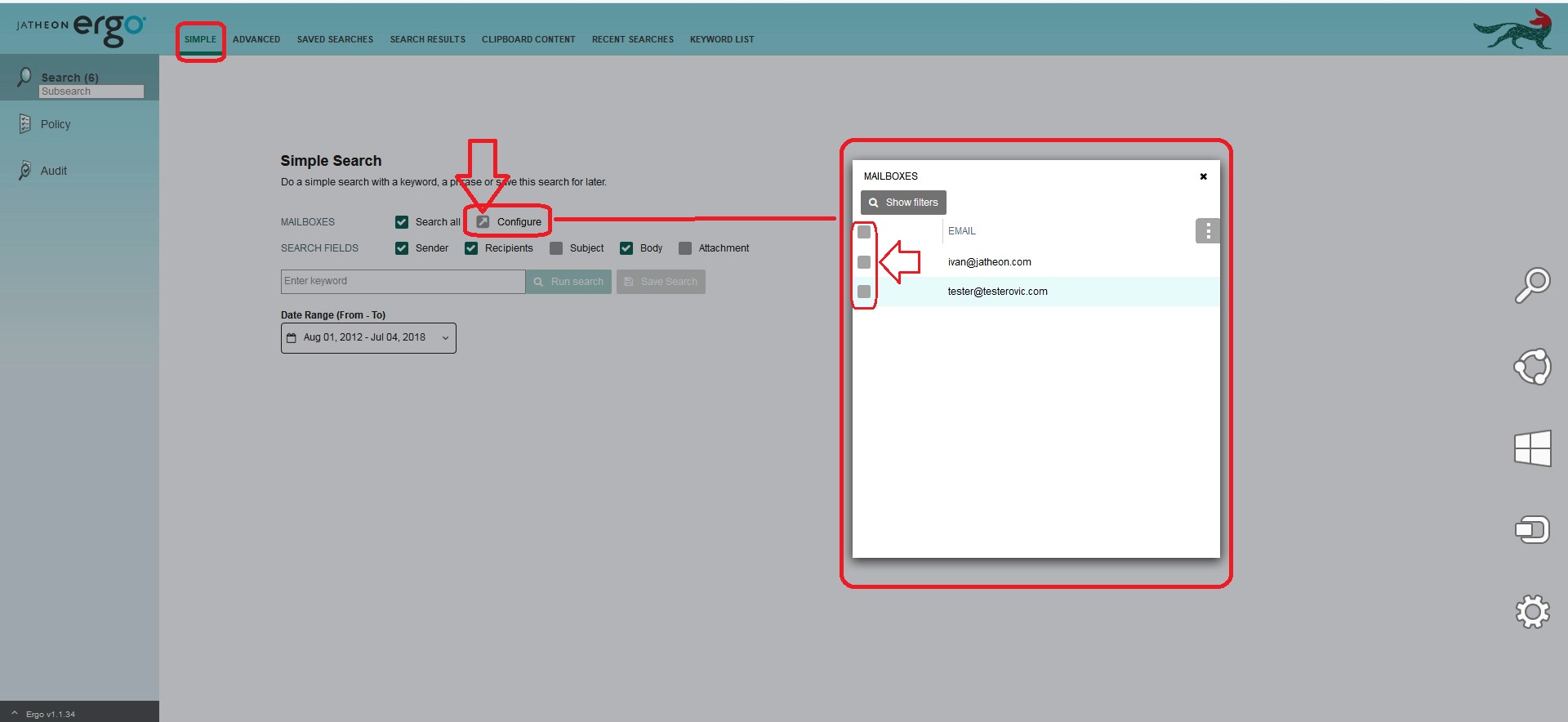
The specified user will now be able to search not only through their own mailbox, but also through the mailboxes selected in the previous step. When performing Simple Search, the user can choose to search through their own mailbox only, through multiple mailboxes or through all mailboxes that he/she is granted the permission to search through.
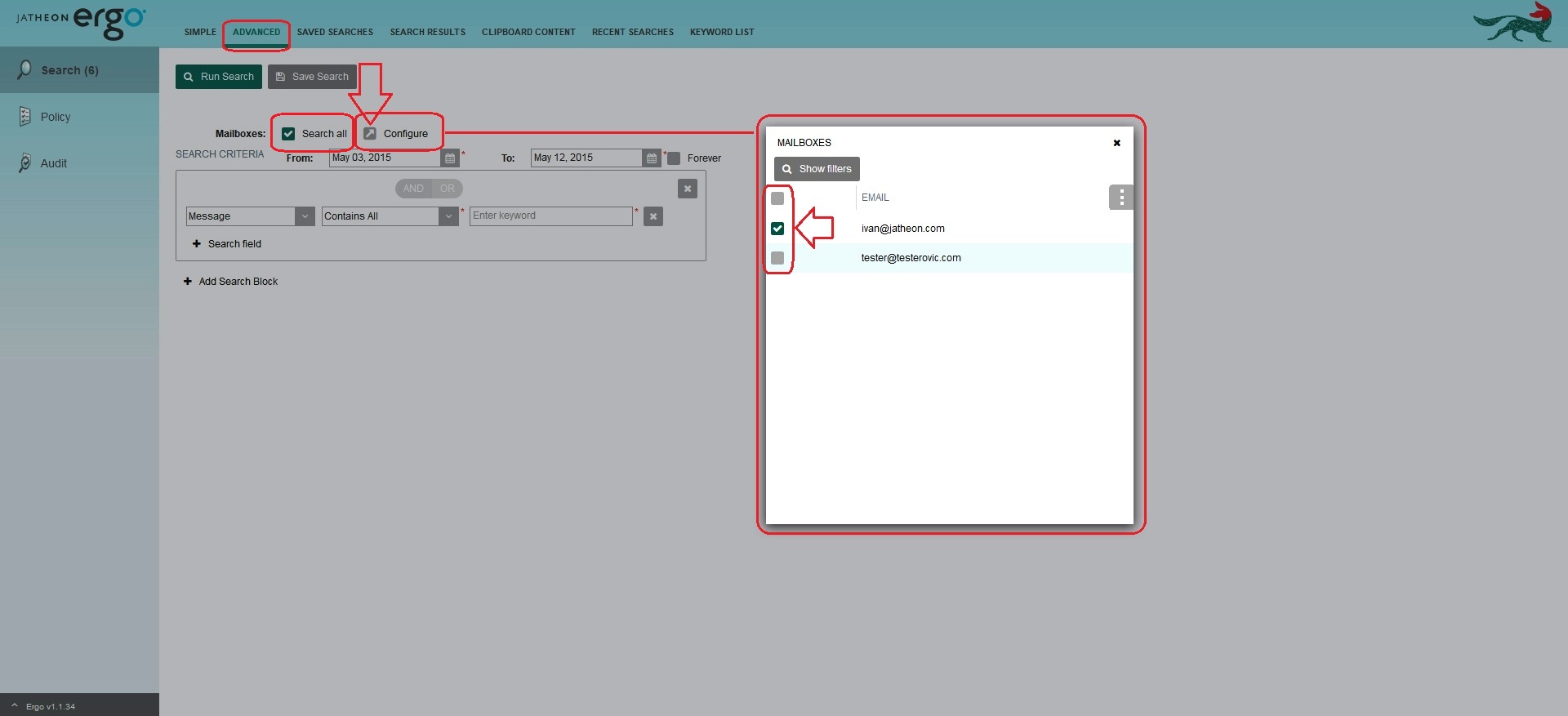
The same principle applies when performing Advanced Search.
Comments
0 comments
Please sign in to leave a comment.