
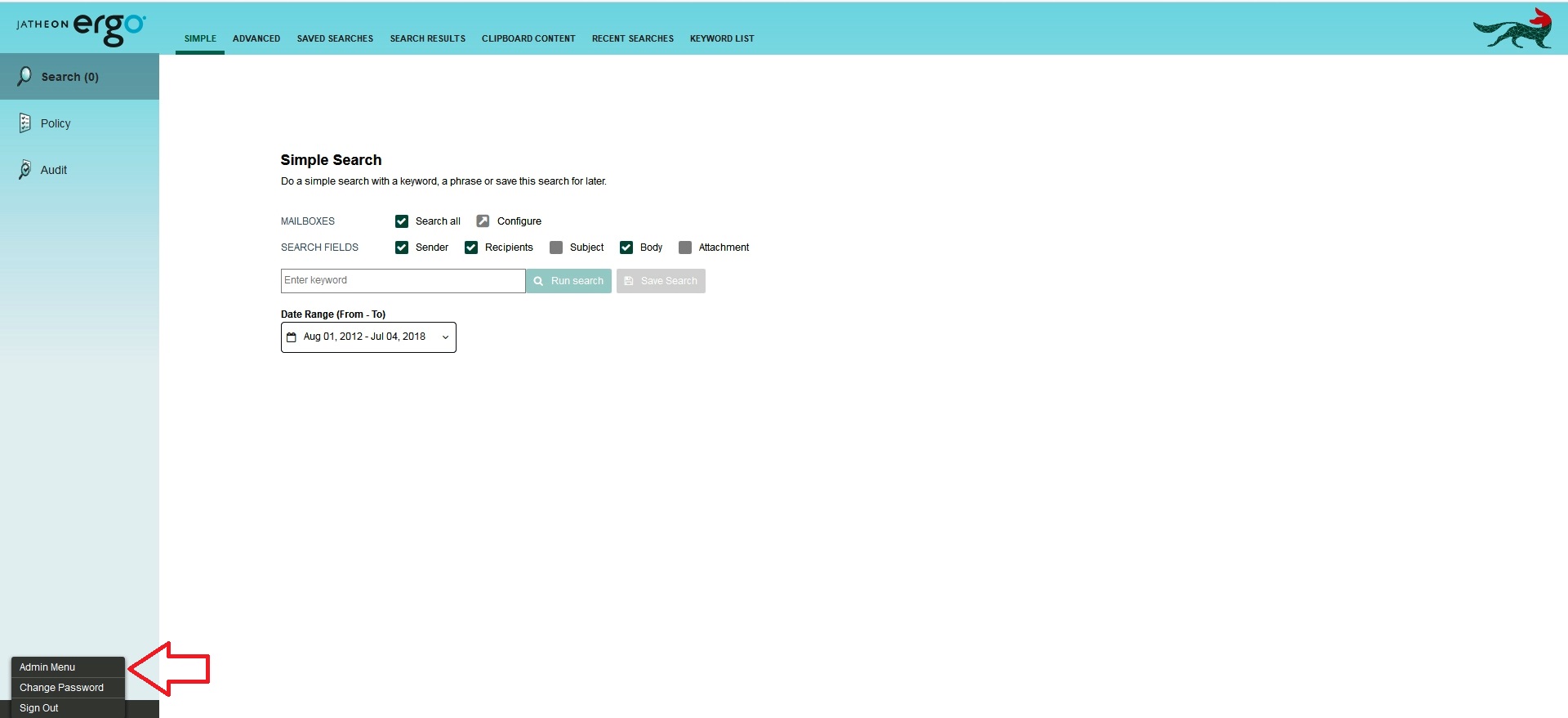
Log in as the administrator and switch to the Admin Menu view:
Once under the Admin Menu, go to the System/GENERAL CONFIGURATION and click the Edit tab:
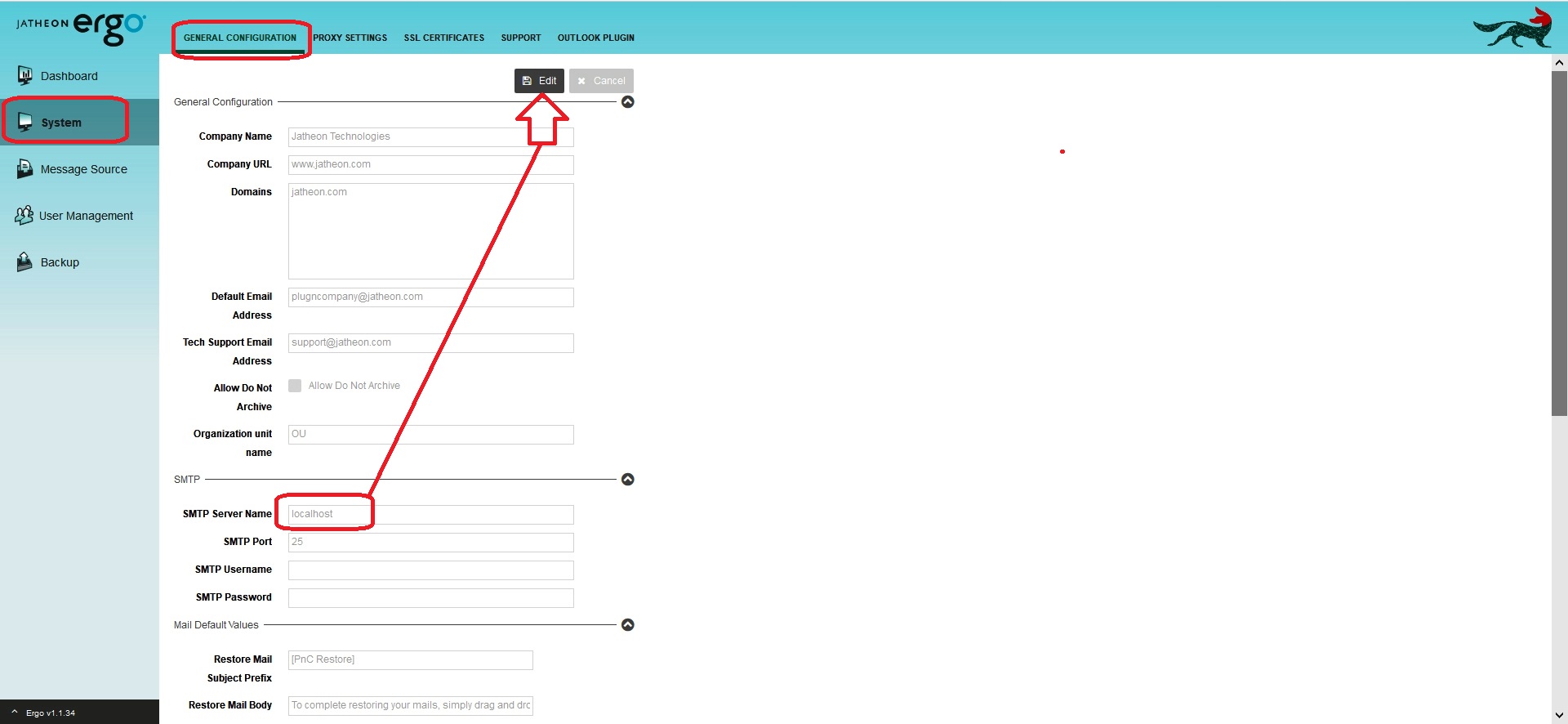
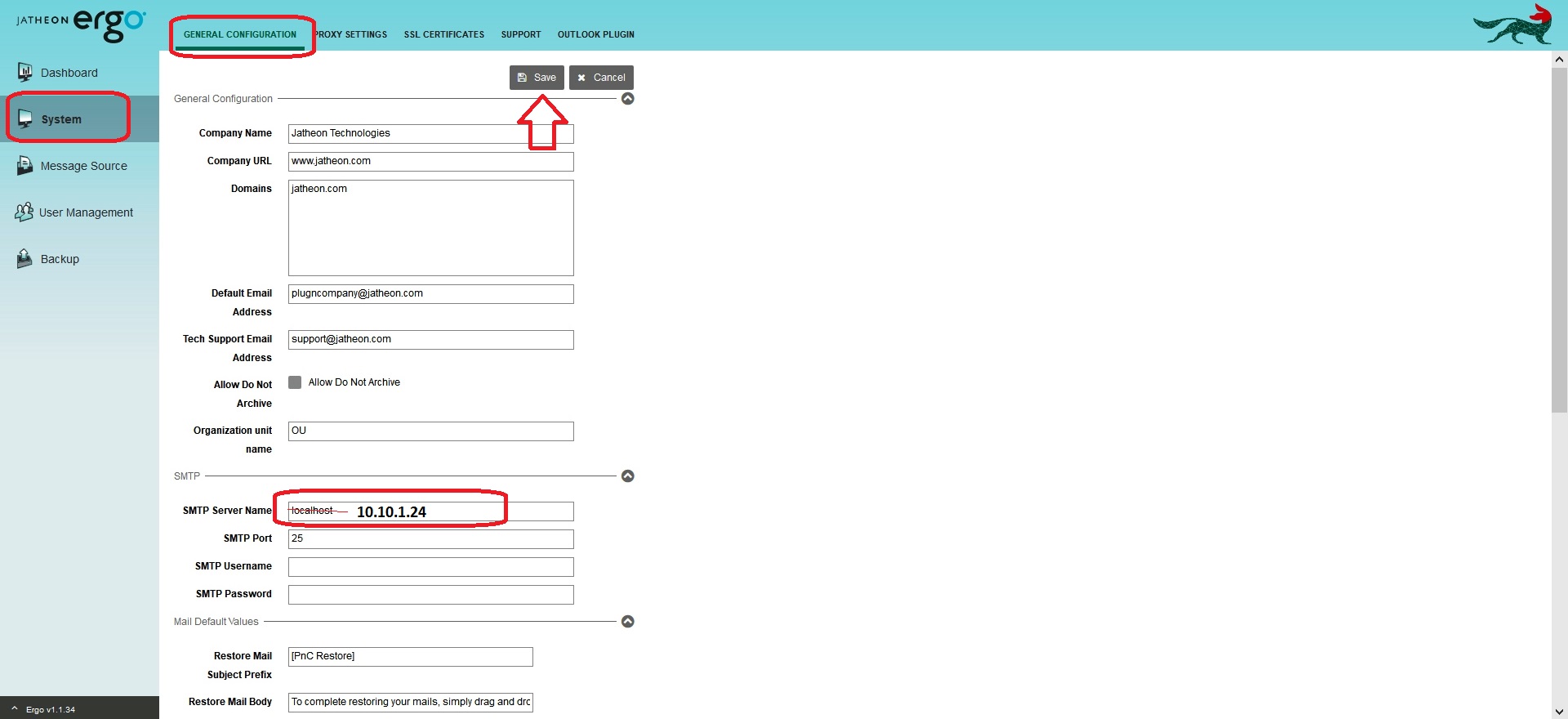
Find the SMTP Server Section and type the IP address of the new SMTP server instead of the "localhost" or the IP of the previous SMTP server.
Don't forget to Save your changes.
Comments
0 comments
Please sign in to leave a comment.