Sometimes one click on the Archive/Jatheon add-in in Microsoft Outlook causes a crash displaying "Outlook detected a COM Add-in problem".
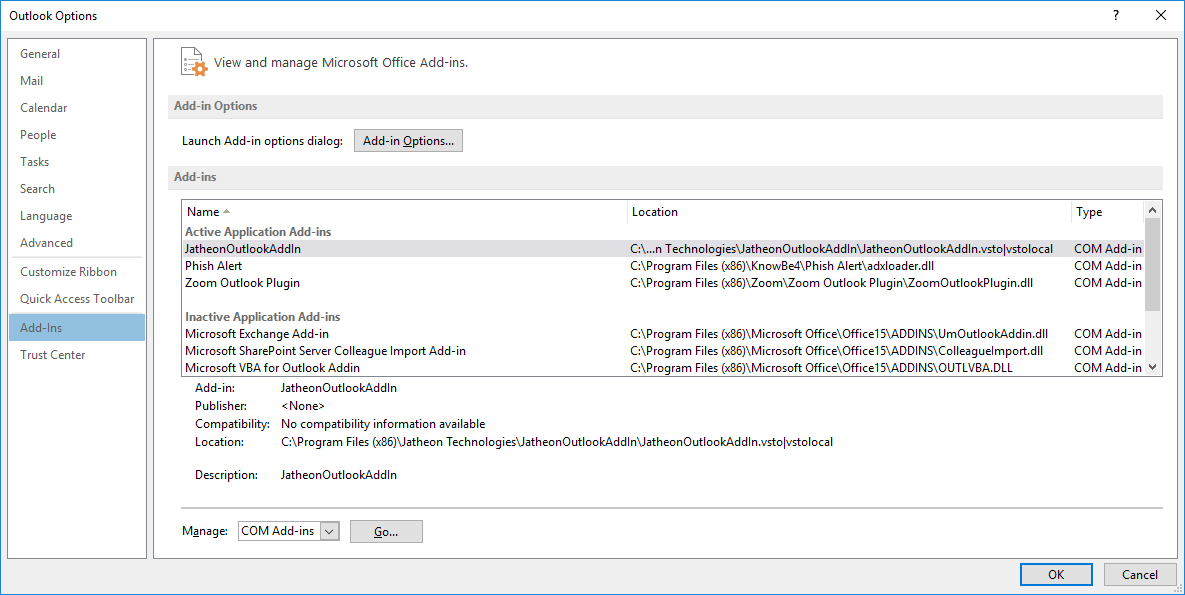
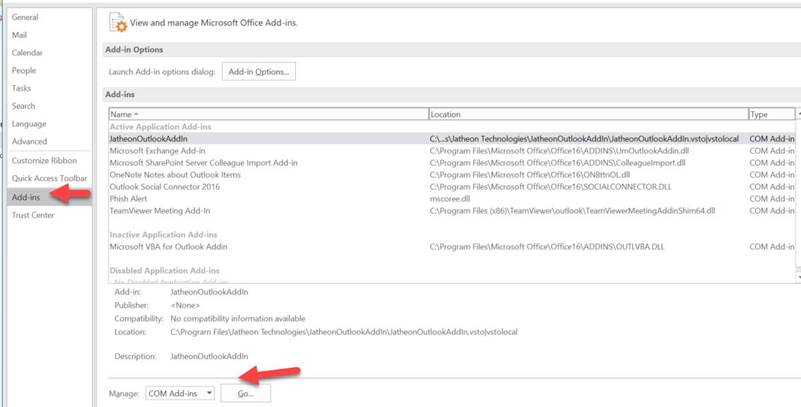
To fix this, click File – Options – Add-Ins – Manage COM Add-ins.
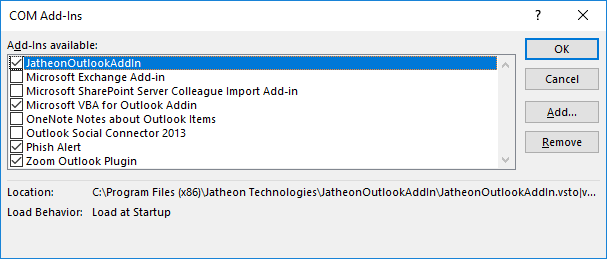
If Jatheon is unchecked, please check it.
Your go-to place for product documentation, guides, and troubleshooting tips.

Sometimes one click on the Archive/Jatheon add-in in Microsoft Outlook causes a crash displaying "Outlook detected a COM Add-in problem".
To fix this, click File – Options – Add-Ins – Manage COM Add-ins.
If Jatheon is unchecked, please check it.
Comments
0 comments
Please sign in to leave a comment.